Video generation requires credits. Explore the prompts below.
Independent guide. Not affiliated with NPR or Tiny Desk.
What is Tiny Desk AI?
Tiny Desk AI is a short-video meme that turns the familiar desk-side concert format into an unexpected performance. A small room, crowded instruments, close camera angles and a remarkably enthusiastic band make the scene readable before the viewer knows the joke. Some circulating edits use synthetic casts; an original version can instead feature an invented character, a pet or a miniature animated band.
The format borrows its visual shorthand from NPR Music’s Tiny Desk concerts. Charlie Wilson’s real concert, published on June 5, 2023, ends with “Outstanding.” NPR producer Bobby Carter’s original article and set list distinguish that genuine performance from the later AI parodies. Wilson and the musicians really performed; the imaginary casts in the remixes did not appear at that concert.
In the October 2026 list supplied to TrendToVideo, @theburnerfromhe11’s Tiny Desk AI parody recorded 2.7 million TikTok views on October 28. That is a dated reference figure, not a live counter or proof that it was the biggest version. It is a useful example of the format’s circulation, while the concert itself is an older, separate work.
Why is it everywhere right now?
The October wave makes sense as a combination of recognition and surprise. Viewers who know the concert recognize the room and musical energy; viewers arriving cold still understand a band having an improbably good time. An unexpected cast creates an immediate question, and a close-up or instrumental break supplies a second reveal. That explanation is an editorial reading of the format, not a measured formula for virality.
The joke also survives a short running time. You do not need a long setup to establish a singer, a keyboard player and an exuberant reaction. Creators can vary the characters, setting and mood while keeping that compact musical structure. For an original interpretation, the useful ingredients are the intimate scale, clear performer roles and rhythmic editing—not somebody else’s face, exact recording or branded room.
Our source snapshot documents attention in late October, but it does not establish the very first upload or the day searches started accelerating. A view count from one post also cannot describe the audience for every remake. Treat “going viral” as context for a particular collection, and check the recording date before comparing examples.
Outstanding Tiny Desk: the song-led version
“Outstanding Tiny Desk” commonly points to the part of this conversation built around “Outstanding,” rather than a completely separate concert series. There are two things to identify: Charlie Wilson’s real NPR performance and the later internet remixes that reference it. Search results may mix the original music, a parody, a tutorial and a generator advertisement. They are not interchangeable.
The song gives many edits their recognizable musical cue, while the desk-band scene provides a visual frame. A template may preserve timing or a sequence of shots without supplying a license to the original audio. Reading an explanation, finding a CapCut template and obtaining permission to reuse a recording are three different steps.
If your aim is an original music-session video, choose your own melody, licensed track or platform-cleared sound. You can keep the small-band idea while changing the characters and arrangement. TrendToVideo does not include the original “Outstanding” recording, clone the singer’s voice or offer a celebrity replacement. The prompts below describe new performances rather than edits of the original concert.
How to make one with CapCut and AI video tools
Start with the idea, not the export button. Decide who your original performer is, what instrument anchors the scene and which small reaction makes the clip worth watching. A pet at a miniature keyboard is a clearer brief than a crowded band with several competing actions. Choose one main subject and keep the first shot simple.
For image-to-video, prepare a sharp reference image with an unobstructed subject and even light. A second image can establish an additional original character or a setting where the chosen tool supports that use. Avoid tiny faces, conflicting backgrounds and elaborate hand positions. Preserve the subject’s proportions and request one controlled camera movement instead of several cuts inside a short generation.
In CapCut, look for an actual template or AI workflow that matches your intended result. CapCut’s own guides describe choosing a template, adding personal media, previewing and editing before export; available controls differ by app, device and region. A hashtag mentioning CapCut does not prove a particular post has a usable template. Check the template preview and required number of images before importing anything.
If no suitable template is available, generate your original performance in an image-to-video tool, then import that clip into CapCut for editing. Trim to the strongest movement, align a cut to your licensed audio and add a short caption if it helps explain the joke. Do not advertise exact lip sync or instrument accuracy unless you have checked those details in the rendered result.
Preview the full export with sound. Check paws or hands, instrument contact, background movement and the beginning and ending frames. Use a vertical composition for a vertical destination, then inspect whether captions cover the performer. On TrendToVideo, the preparation flow is template → one or two images → resolution. Paid generation and credit checkout are not open yet; the guide and copyable prompts are available without signing in.
MAKE IT YOURS
Copy & paste prompts
Use these as a starting point in your preferred AI video tool.
Warm soul session
Create a vertical music-session video starring an original illustrated fox singer and a small band in a book-lined studio. Use warm amber light, a compact keyboard, restrained rhythmic movement and a slow camera push. Let the singer smile toward the band before the final beat. Keep the characters and setting original. Do not include real people, logos, recognizable songs or cloned voices.
Lo-fi cat keyboard
Animate the original cat from the reference sitting at a miniature keyboard beside a rainy window. Keep its markings consistent and give it gentle head nods and subtle paw movement. Use muted evening light, shallow depth of field and a steady close camera. Suggest a relaxed lo-fi mood without generating a named artist’s performance. No text, branded equipment or borrowed recording.
Country porch duo
Create a fictional woodland duo performing a relaxed acoustic session on a tiny covered porch. One original rabbit holds a small guitar while an original fox taps a simple rhythm. Use soft sunset light, quiet background motion and a single gentle lateral camera move. Keep the instruments visually coherent and the gestures modest. No celebrity likeness, recognizable lyrics or copied concert scenery.
Miniature orchestral desk
Create an original miniature animal ensemble around a wooden desk, with a small string section and one clear conductor. Use warm library lighting and a composed medium-wide shot. Animate a short synchronized bow movement followed by a cheerful reaction from the conductor. Preserve the same character designs throughout. Keep the music concept generic and do not reproduce any protected composition or real orchestra.
Playful jazz trio
Animate an original raccoon pianist, a rabbit drummer and a fictional bird saxophonist in an intimate rehearsal room. Begin with the pianist, then use one smooth camera drift to reveal the trio. Add subtle breathing and restrained performance gestures rather than frantic movement. Use soft studio light and an original arrangement of instruments. Do not copy an existing recording, performer or branded set.
Solo acoustic close-up
Create a quiet vertical performance with an original clay-style character playing a small acoustic instrument at a desk. Show one clear strumming gesture, a gentle head tilt and an expressive final smile. Use warm practical lights, simple shelves and a stable close-up. Keep the character’s anatomy and instrument consistent. Leave audio for a separately licensed track; no voice imitation, visible logos or real-person resemblance.
GOOD TO KNOW
Frequently asked questions
Is there a Tiny Desk AI template?
There is no single universal template. Creators and editing platforms may offer different workflows. Check what each one actually generates, which images it requires and whether the preview is its own output or an external reference.
Can I make this in CapCut?
CapCut can provide templates, AI workflows and editing tools, depending on your version and region. You can also import an independently generated clip, trim it and add audio you have permission to use.
What is Outstanding Tiny Desk?
The phrase can refer to “Outstanding” in Charlie Wilson’s real Tiny Desk concert or to later AI remixes referencing that performance. Check the source and creator before treating a clip as an authentic concert recording.
Which video is the October reference?
The supplied October collection lists @theburnerfromhe11’s AI parody at 2.7 million TikTok views on October 28, 2026. That snapshot is not a current counter, a universal ranking or a result made by TrendToVideo.
Do I need to write a long prompt here?
No. TrendToVideo’s create screen uses a template, one required image, an optional second image and a resolution choice. These copyable prompts are also provided for readers who prefer another compatible tool.
Are music and the original song included?
No original recording is included by this guide. Use music you created, properly licensed audio or a sound cleared for your intended platform and use. Image-to-video does not automatically grant music rights.
Can I replace a singer or imitate a voice?
This service does not offer real-person face replacement or voice cloning. Use an original pet or fictional performer for this template rather than a real musician’s identity or an invented celebrity performance.
How many credits will one video use?
The planned rate is 5 credits per successful video. Packs are $9.99 for 5 credits, $19.99 for 15 and $29.99 for 30. Checkout and generation remain unavailable until launch; failed generations will not consume credits.
Is TrendToVideo affiliated with NPR or Tiny Desk?
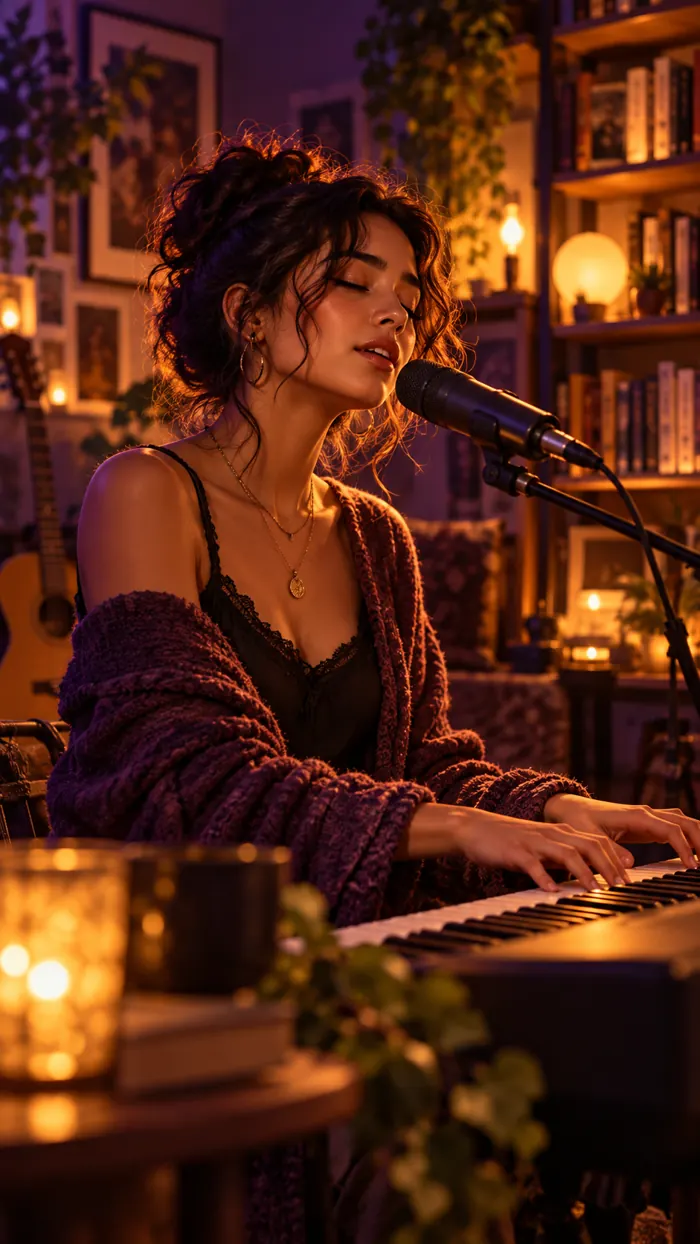
No. This is an independent explanation and original-character workflow. NPR, the artists and the creators of referenced posts retain their own rights. The concept illustration is not a customer result or an official concert image.
Will this guarantee a viral video?
No. A recognizable format can help communicate an idea, but audience response depends on execution, timing and distribution. Compare dated evidence honestly, and do not present a historical view count as a promised outcome.
More AI video trends
Compare this intimate music-session format with playful pet dances and surreal action clips. The AI video trends gallery includes source-labelled references, compressed covers and click-to-play videos. Explore Single Ladies dog, Banana Tree Run or Ramalama kitten walk, then choose the idea that fits your own subject.
Sources and review notes
Reviewed October 29, 2026. The 2.7 million view figure is from the supplied October 28 source snapshot. Our explanation of why the format works is editorial analysis; it is not a verified ranking or a claim about the first upload.